
A caller ID phone is still one of the most practical purchases for an office reception, a small shop, a home landline or a senior living desk. Unlike a mobile handset, a corded caller ID telephone is ready when the line rings, does not depend on a daily charge, and can sit on a counter with a large display and one-touch keys. This guide explains how caller ID works, what to specify for offices and for seniors, and how to avoid the common problem where the number never shows when you import phones into a new market.
Key takeaways
- Confirm the caller ID signalling of the destination network (and whether you need Type I on-hook ID, Type II call-waiting ID, or both) before you approve a sample.
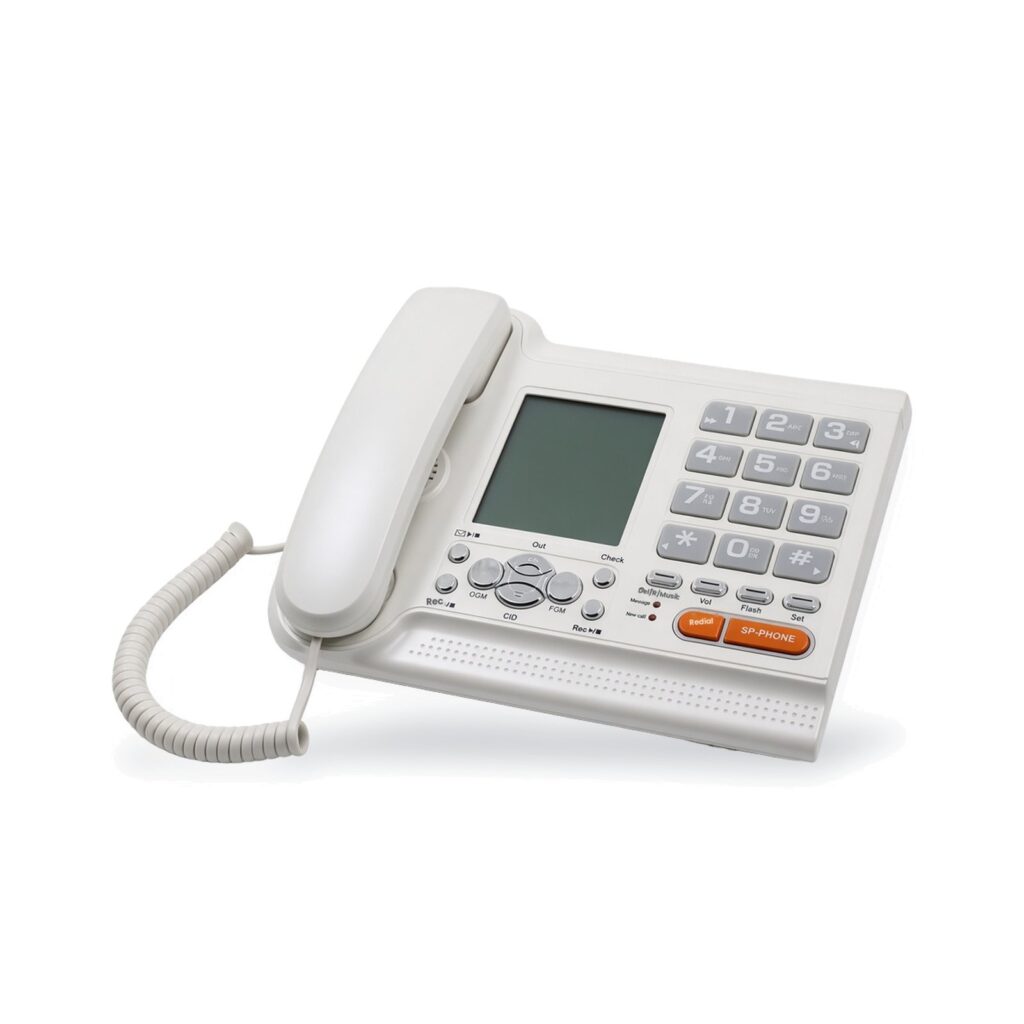
- For offices, specify call-log size, speakerphone, PABX flash timing, and memory keys; a representative model is the SKH-181R (Type I caller ID, 50 incoming call records, speakerphone, 10 two-touch memories).
- For seniors and care settings, look at big buttons, volume boost, one-touch memories and an SOS function. The SKH-410PRO lists big buttons with Braille, a 20 m SOS remote, SOS loop dialling and 20 dB+ volume boost.
- A corded phone is usually the right default where staff stay at a desk or a bedside; use a DECT cordless phone when people must carry the extension.
- OEM buyers should include logo, colour, packaging, display language and certificates in the same brief. Published MOQ is 3,000 pieces per model.
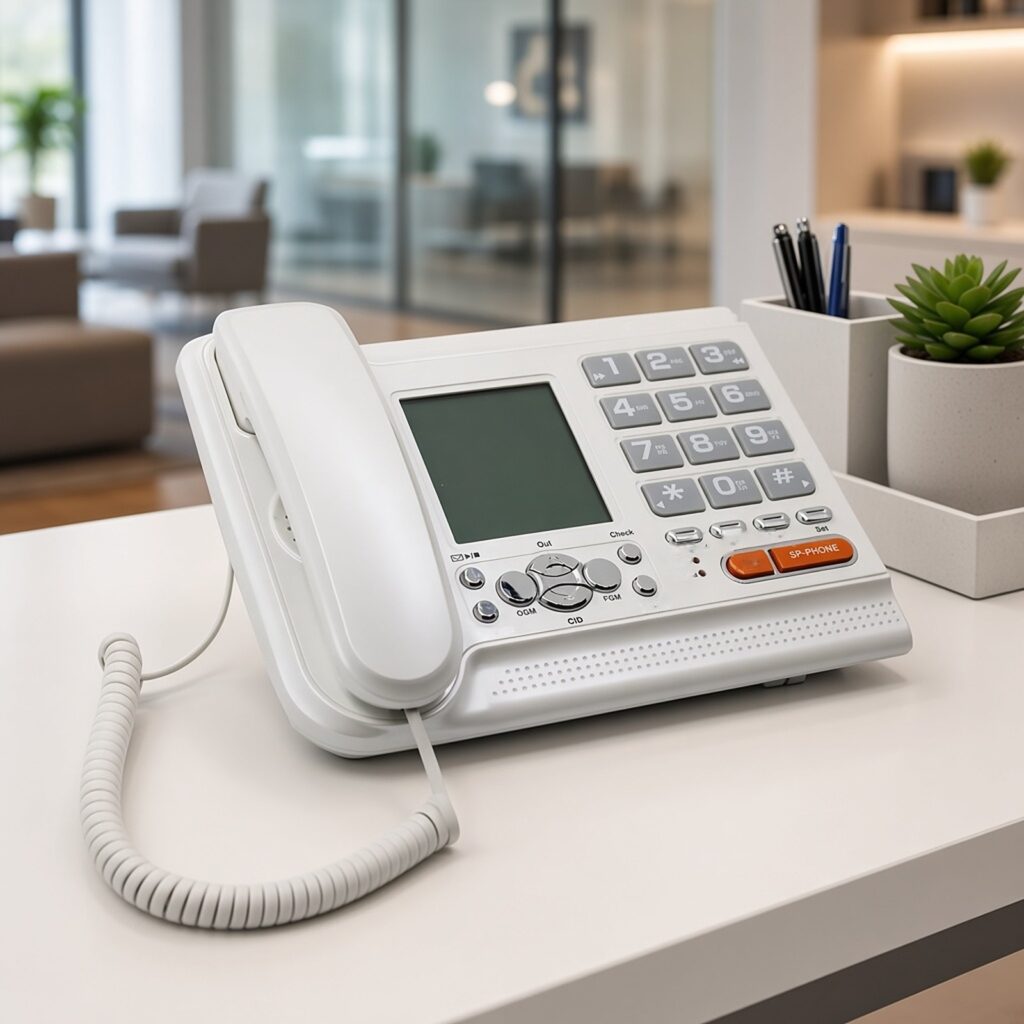
Why corded caller ID phones are still specified
Mobile phones are everywhere, but many businesses and households still keep a fixed line: for a published shop number, a lift or gate entry, a PABX extension, a hotel back office, or a relative who is more comfortable with a handset in a cradle. A corded telephone draws power from the line, so it continues to ring during a local mains failure if the telephone service itself is up. There is no DECT registration step and no battery calendar. For a reception counter that must just work, that reliability is the product.
Caller ID adds a display of the incoming number (and, where the network provides it, a name) before the handset is lifted. In an office that means fewer missed or anonymous calls and a simple call log for return dialling. In a home it means a senior can decide whether to answer. Cheng Feng Hao’s caller ID phone range is built for these desk and wall uses, with OEM and ODM options for brand, colour, packaging and language.
How caller ID works — and why it sometimes does not
Caller ID is a feature of the telephone network, or of the PABX, as well as of the phone. If the line or the switch does not send the identity, no display will invent it. When the line does send it, the phone must understand the signalling used in that country or that PBX.
In many networks, on-hook caller ID is sent as a short data burst between the first and second rings. In North American practice this on-hook service is often called Type I (Bellcore/Telcordia style). Type II adds identification of a second call while you are already off-hook (caller ID on call waiting). Other markets have used DTMF-based caller ID, or ETSI variants of the FSK method. The important buying action is not to memorise every standard number — it is to name the destination country (and the PBX, if any) and test a sample on a real line there.
The SKH-181R caller ID telephone lists CID type I, a 50-record incoming call log, speakerphone, 10 two-touch memories, music on hold, tone/pulse dialling, PABX compatibility and adjustable flash time (1000 / 600 / 300 / 110 ms). If your market or your PBX needs DTMF caller ID or Type II, say so in the RFQ; do not assume a Type I display will decode every foreign line.
Choosing a caller ID phone for an office
Start with the environment. A quiet office can use a standard desk set. A noisy counter benefits from a clear ringer, a visible display and a speakerphone so staff can answer while their hands are busy. If the phone sits behind a PABX, flash/recall timing and a hook-flash that the switch understands are more important than a long consumer feature list.
| Office need | What to specify | Why |
|---|---|---|
| See who is calling | Caller ID type that matches the line or PBX; a display readable at arm’s length | Avoids missed or anonymous handling at reception |
| Return calls later | Incoming call log (the SKH-181R lists 50 records) and last-number redial | Staff can ring back without a paper pad |
| Hands-busy counters | Speakerphone and ringer-volume steps | The handset does not have to be picked up immediately |
| PABX extensions | Tone/pulse as required, adjustable flash, pause, and PABX compatibility | Transfer and voicemail retrieval depend on flash timing |
| Speed dial for lifts, stores, branches | One-touch or two-touch memories (the SKH-181R lists 10 two-touch memories) | Reduces misdials on numbers that are called all day |
| Brand appearance | OEM colour, logo and packaging | The phone is visible to customers on the counter |
Trim-line and basic phones still have a place where you need a small footprint or a wall set without a display. If you do not need caller ID at all — for example a spare warehouse extension — a basic corded phone is enough. If the extension must move with a person, step up to a DECT cordless phone rather than stretching a coil cord across a floor.
Choosing a phone for seniors and accessible use
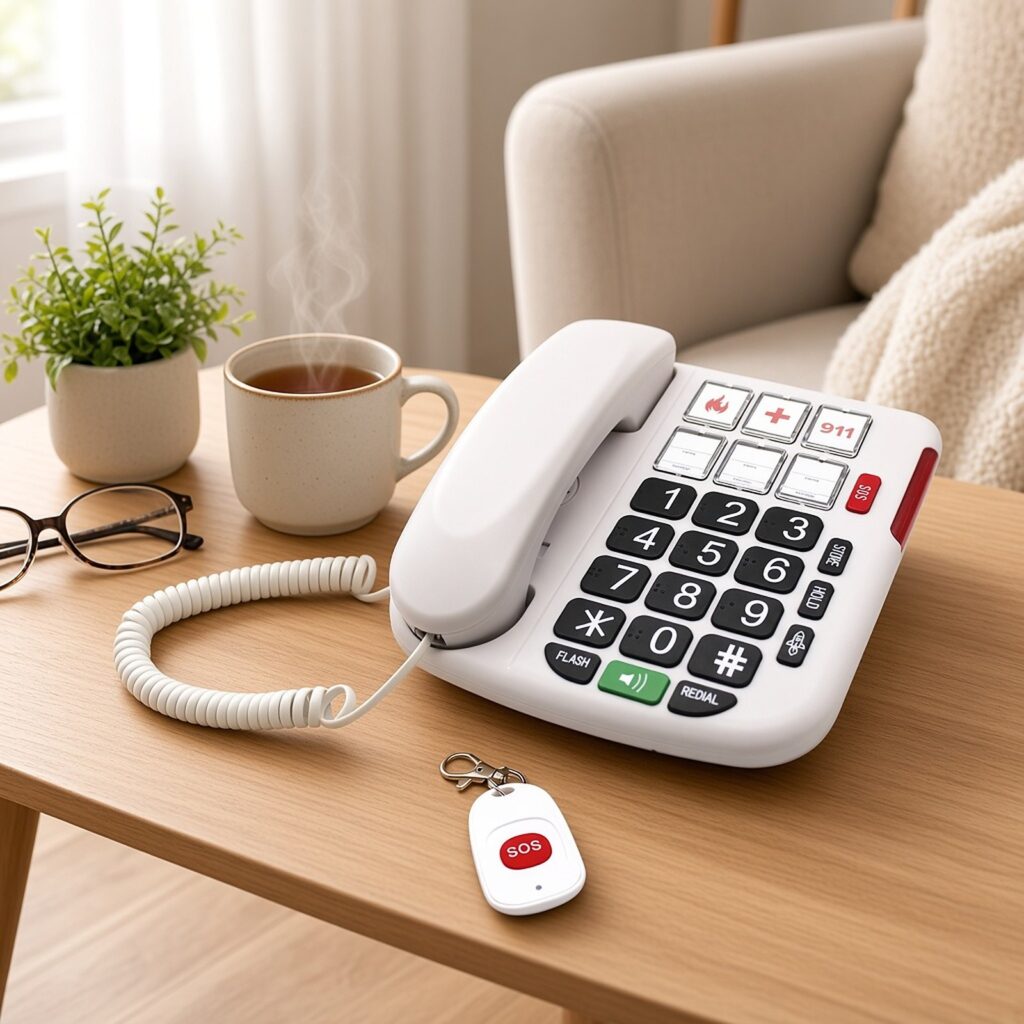
A senior-friendly telephone is a different specification, even if it also has caller ID. The user may have low vision, reduced hearing or limited dexterity. The features that matter are physical: large, well-spaced buttons; high-contrast numerals; a loud, adjustable ringer; a handset volume boost; and a small number of one-touch keys for family or for a care contact. An SOS or emergency key that dials a pre-set number (and, on some models, keeps dialling until it is answered) is often requested by families and by care homes.
Cheng Feng Hao’s big button phones are built for this use. The SKH-410PRO big button telephone lists big buttons with Braille, a 20-metre SOS remote, SOS loop dialling, a 20 dB+ volume boost, and six one-touch memories. Its published description also notes a loud ringer, speakerphone, and desk or wall mounting. When you specify such a product, test the SOS behaviour on the destination network (some networks handle auto-redial and hook status differently) and print the one-touch labels in the user’s language.
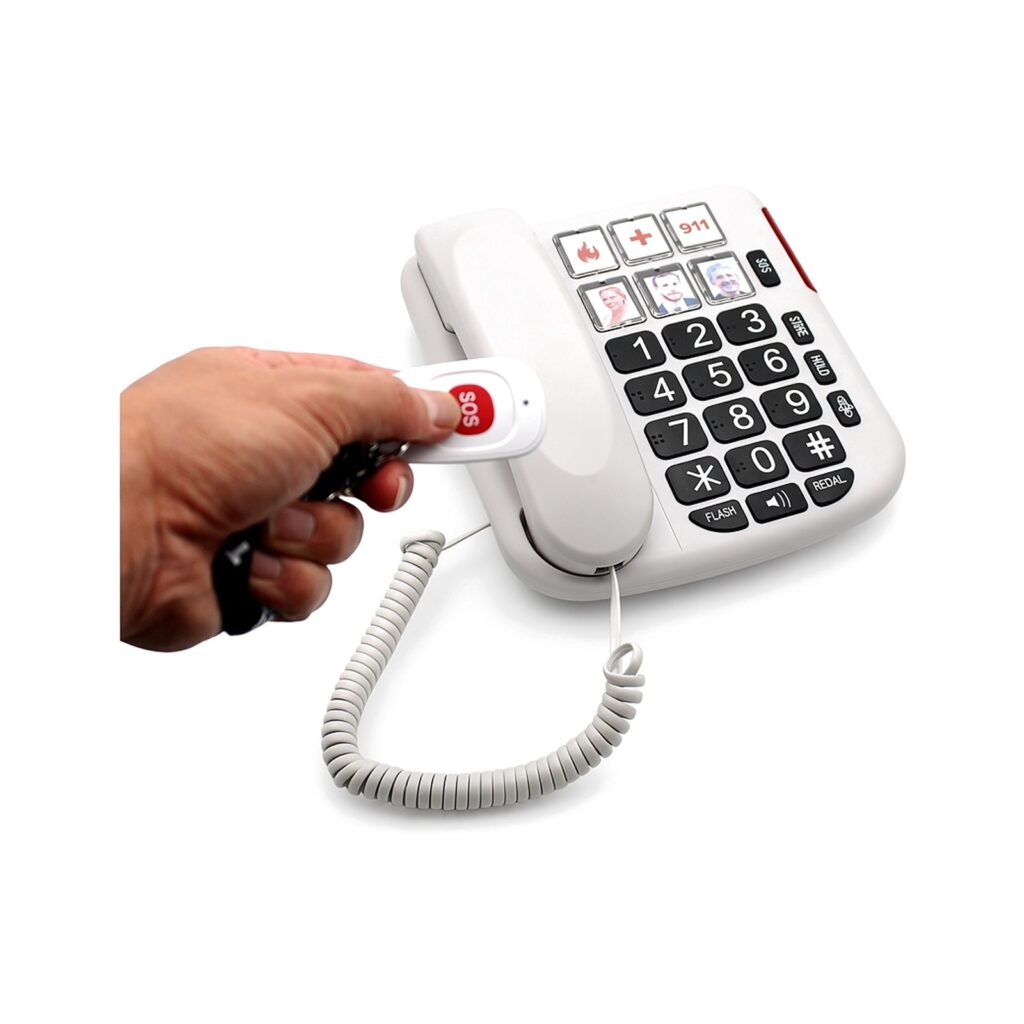
Do not confuse a big-button phone with a hotel SOS key, and do not assume hearing-aid compatibility or a particular accessibility standard unless it is written into the quotation and shown on the sample. If you are buying for a regulated care environment, attach that standard to the brief.
Features that are nice to have — and features to skip
- Worth specifying when they will be used: speakerphone, adjustable ringer, call log, a modest phonebook or memory-key set, mute, pause, polarity guard, and a display backlight for dim counters.
- Confirm on a sample: default display language, time and date handling, and whether the call log stores the number in a useful length for your country.
- Usually secondary for B2B lots: long fun ringtone lists, alarm-clock features, and menus that hide the volume control. Sixteen ringtones, for example, appear on several CFH desk phones; they do no harm, but they should not distract from the signalling and PABX checks.
- Always include in an import brief: destination market, CE / FCC / other marks, colour, logo and packaging language, and whether the phone must work behind a PABX.
OEM notes for importers and distributors
Caller ID and big-button telephones are classic private-label products: the hardware platforms are mature, and buyers differentiate on face printing, colour, packaging and a tested feature set. Follow the process in the OEM/ODM manufacturing guide: lock the signalling type, flash defaults and language pack on the sample, then freeze artwork. The published MOQ is 3,000 pieces per model. Cheng Feng Hao was founded in 2003, established its Shenzhen factory in 2010, and operates with 250+ employees in a 30,000 m² production area under the CFH brand.
If you also supply hospitality properties, keep guest-room sets in the hotel phone family (service keys and a message-waiting lamp) and use caller ID desk phones for the back office, rather than forcing one SKU to do both jobs.
Frequently asked questions
Why does caller ID work in one country and not in another?
The telephone must support the signalling that the local network or PBX sends. Type I on-hook caller ID, Type II call-waiting ID, and DTMF-based systems are not the same. Always test a sample on a real line in the destination market.
What is Type I caller ID?
Type I usually means the number is sent while the phone is still on-hook, typically between rings, so the display can show it before you answer. The SKH-181R lists CID type I and a 50-record incoming call log. Type II, if you need it, is a different requirement and should be stated in the RFQ.
Should I buy a corded or a cordless phone for an office?
Choose corded when the user stays at a desk or counter and you want line-powered reliability. Choose a DECT cordless phone when staff must carry the extension. Many sites use both: a caller ID desk phone at reception and cordless handsets in the back.
What makes a telephone suitable for seniors?
Large buttons, a loud and adjustable ringer, a substantial volume boost, simple one-touch memories, and, where required, an SOS function. The SKH-410PRO lists big buttons with Braille, a 20 m SOS remote, SOS loop dialling and a 20 dB+ volume boost. Test SOS behaviour on the live network.
Can I order these phones with my own brand?
Yes. Models are offered as OEM and ODM, including logo, colours, packaging and display language. The published MOQ is 3,000 pieces per model. Email sales1@skhelc.com or use the contact form with your market and quantity.
Looking for a caller ID or big-button telephone?
Tell us whether the phone is for an office, a home or a senior or care setting, and which country it will be used in. Browse caller ID phones and big button phones, or email sales1@skhelc.com — request a quote.
Related reading: Hotel phone buying guide · How to choose a cordless phone · OEM telephone manufacturing.